



One app replaces your meeting recorder, transcription service and dictation tool. No bots join your calls.
Download for macOS
APPLE SILICON M1+
Try it FREE for 14 days. No credit card.
Then $27 once. No subscription.
Yours forever.

Your recordings stay on your Mac
No meeting bots
Unlimited transcription
Record
Capture your online calls or in-person meetings. Records without any bot joining your meeting.
Transcribe
Drop in a file or paste your YouTube link. Get a searchable transcript in minutes.
Dictate
Use your voice to write everywhere with built-in unlimited dictation.
All-in-one
Meeting recorder, transcription and voice dictation
Finally, no need to jump between tools. Everything is in one place.
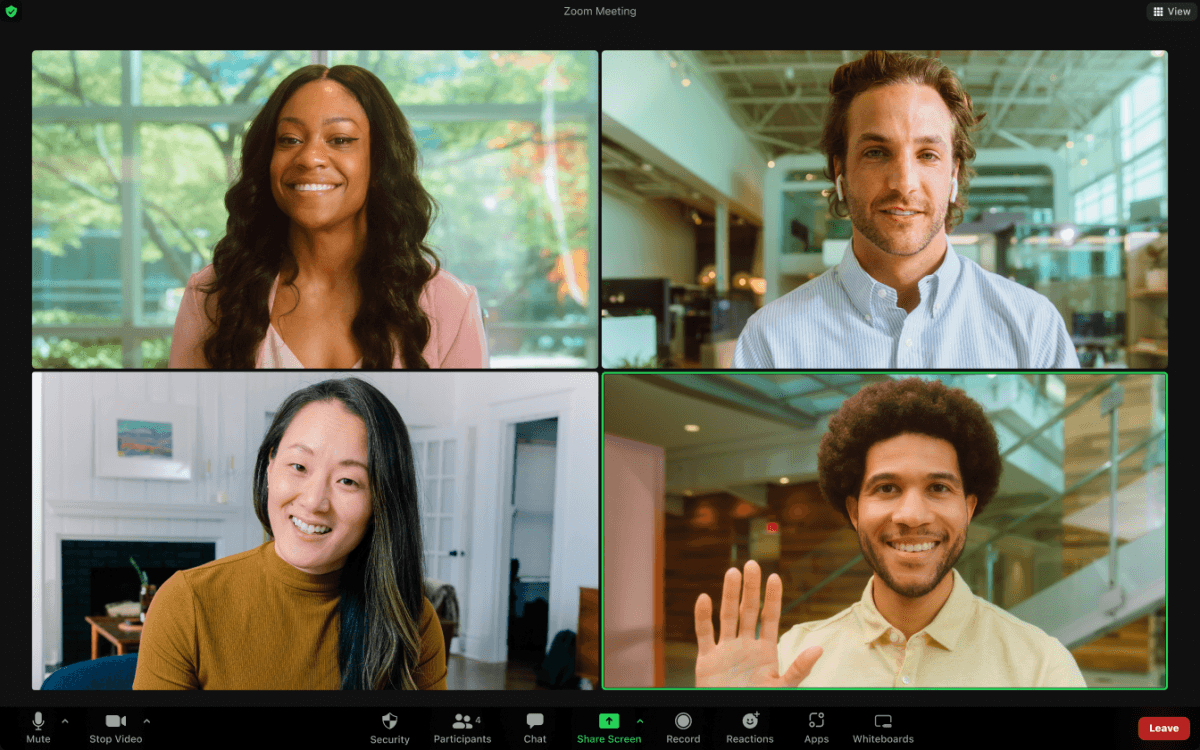
No meeting bots.
Record a call. Get the transcript.
No bot joins your call, no unfamiliar face waiting in the room. Ronix listens through your system audio instead — the meeting looks exactly like it always does.
Works with any meeting
Zoom, Google Meet, Microsoft Teams, Slack huddles. Ronix works the same way every time.
Connect your Claude via MCP
Ask Claude about any call for summaries, action items and insights across your history. You choose which meetings it sees. Export notes to ChatGPT, Codex or Gemini.
Use your voice instead of typing





So I can just talk, and it types for me?
Exactly! No need to type, just speak.
Write faster with your voice…
Built-in voice dictation
Turn your voice into accurate text in Slack, email, ChatGPT, documents, notes and any other app on your Mac. Speak instead of typing.

Your recordings stay on your Mac
Organize your transcripts in folders. All recordings and transcripts stay on your device from the moment you launch it.


Import & transcribe anything.
Audio and video files, YouTube URLs
Turn interviews, lectures, podcasts, and videos into searchable transcripts. Add your audio or video files. MP3 · M4A · WAV · MP4 · MOV and more
English Español 中文 Français
Deutsch Português 日本語 한국어
العربية Nederlands Polski Türkçe
99 languages
Whisper auto-detects the language spoken. Works equally well across multilingual meetings.
Memory across meetings
Find insights, recall agreements, surface important information, spot trends.
Chat with your meetings
Ask Ronix anything about your calls, notes and recordings. Get decisions, action items and follow-ups in seconds. Powered by your own OpenAI or Anthropic API key.

★★★★★
Local macOS recording and transcription.
Built-in voice-to-text dictation.
Everything stored locally on your Mac.
Works offline, even without internet.
AI Summaries with Claude MCP or your API key.
Unlimited local transcription and dictation. Works offline, no internet access required after initial installation of transcription and dictation models. Ronix offers a BYOK model, so you can use your own API key to enable AI, generate summaries and use chat.
Apple Silicon Mac (M1 or later) running macOS 14.4 (Sonoma) or later. The app runs comfortably on an M1 MacBook Air. Intel Macs are not supported.
You can use Anthropic Claude or OpenAI ChatGPT models via your own API key to generate summaries or use chat.
Yes. By default, RonixAI processes and stores your recordings and transcripts entirely on your device. Your meeting content is never uploaded to RonixAI servers. If you choose to generate an AI summary using your own API key, the transcript you select is sent directly to your chosen AI provider. Your audio recording never leaves your device. Anonymous usage telemetry is enabled by default and can be turned off in Settings. It never includes your recordings, transcripts, dictation or meeting content.
Yes. After you download the required models during initial setup, Ronix can record, transcribe audio files, and turn your voice into text without an internet connection. You can use these features on an airplane, in a basement, or anywhere Wi-Fi is unavailable. Download the app and models before you go offline. Importing a YouTube or other online video by URL requires internet access, as do AI features that use a cloud provider through your own API key.
RonixAI uses Parakeet TDT v3 for live transcription (25 European languages) and Whisper for languages outside that set, including Chinese, Japanese, Arabic, Korean, and Hindi (99 languages total). Results depend on audio clarity — quiet rooms and good microphones produce the best outcomes.
Yes. RonixAI captures system audio and microphone simultaneously. Both sides of a Zoom, Teams, WhatsApp, Telegram or Google Meet call are transcribed without any bot joining the meeting. You can also record offline in-person calls.
After your 14-day free trial ends, you can still access and interact with your existing recordings and transcripts, including playing recordings, copying text, and exporting your content. To make new recordings, transcribe files, use voice dictation, connect through MCP, or use AI features with your API key, you need to purchase a Ronix license.
Recordings and transcripts are stored only in local app storage on your device, nothing is synced to a server. That means full privacy, but also no cloud backup: if the device is lost or the app is uninstalled without exporting first, that data is gone.
RonixAI distinguishes between [you] and [other participants] in real time. During recording, speech is labeled as [You] when you’re speaking and [Speaker] when someone else is speaking. These labels are automatically carried through to the final transcript. RonixAI does not currently identify individual participants by name or distinguish between multiple other speakers.
Record. Transcribe. Dictate.
· macOS 14.4+ (Apple Silicon) ·
~1 GB for the default dictation and transcription models